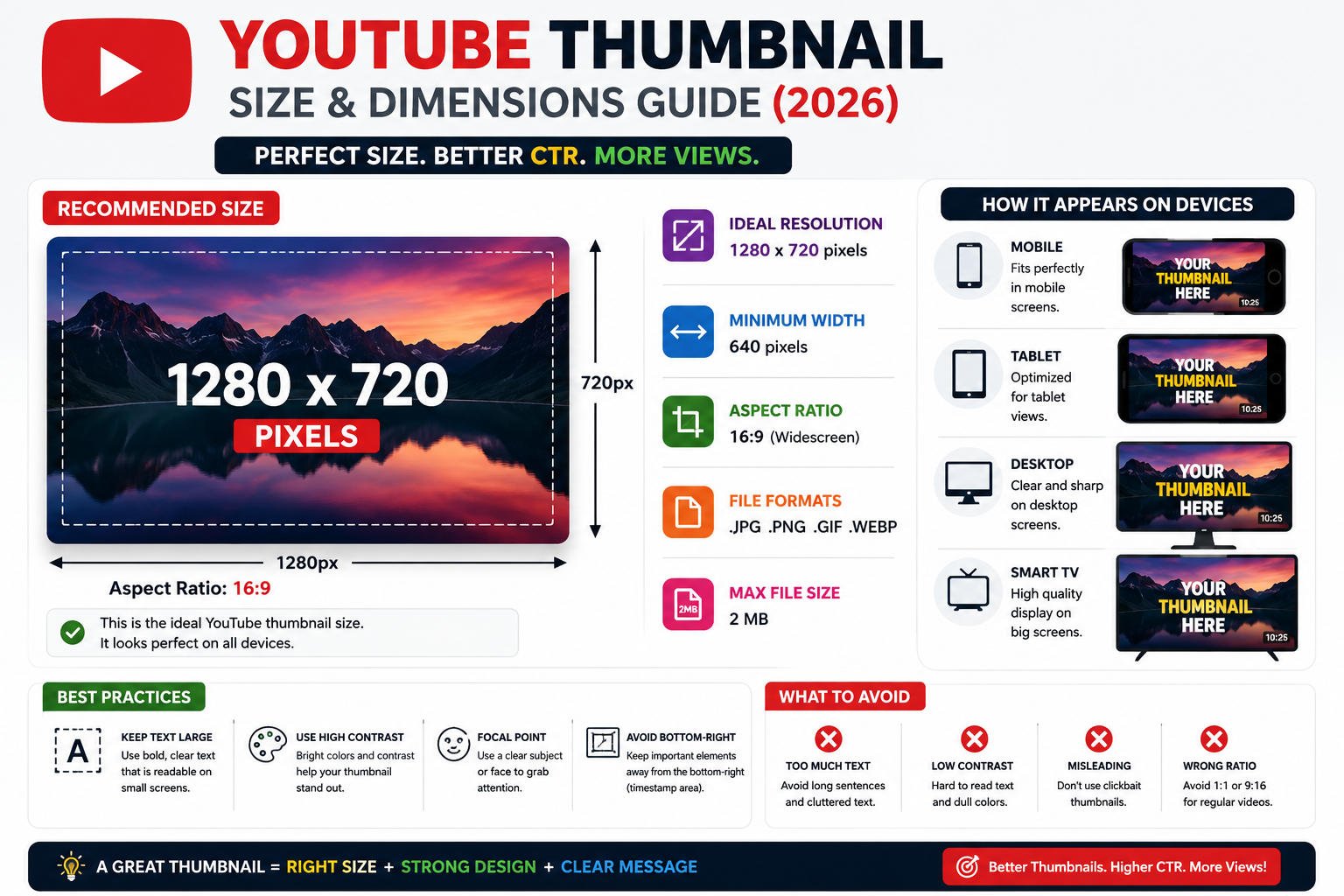
YouTube Thumbnail Size & Dimensions Guide (2026)
Learn the ideal YouTube thumbnail size, resolution, aspect ratio, file formats, file size limits, and high-CTR design best practices for creating optimized thumbnails in 2026.
YouTube Thumbnail Size & Dimensions Guide (2026)
Creating an optimized YouTube thumbnail is essential for improving Click-Through Rate (CTR) and driving views. Below are the official specifications, recommended sizes, aspect ratios, and best practices.
📐 Quick Overview & Specifications
| Property | Recommended Value |
|---|---|
| Ideal Resolution | 1280 x 720 pixels |
| Minimum Width | 640 pixels |
| Aspect Ratio | 16:9 |
| File Formats | .JPG, .PNG, .GIF, .WEBP |
| Max File Size | 2 MB |
🎨 Detailed Technical Requirements
1. Dimensions & Resolution
- Recommended: 1280 × 720 pixels
- Why? This resolution ensures your thumbnail looks crisp and clear across all device types—mobile phones, tablets, desktop browsers, and smart TVs.
- Minimum Limit: 640 pixels wide. Images below this width will appear pixelated or blurry.
2. Aspect Ratio (16:9)
- YouTube video players and preview cards use a standard 16:9 widescreen ratio.
- Avoid using square (
1:1) or tall (9:16) images for standard videos, as YouTube will automatically add black bars or crop your thumbnail.
Note: For YouTube Shorts, the thumbnail aspect ratio is 9:16 (
1080 x 1920pixels).
3. Maximum File Size
- Limit: 2 MB (Megabytes)
- If your file exceeds 2 MB, compress it using web tools (like TinyPNG or Squoosh) or save it as a high-quality JPEG instead of PNG.
4. Supported File Formats
- JPG / JPEG: Best for complex images, photos, and keeping file size under 2 MB.
- PNG: Best for clean graphics, text overlays, and crisp visual elements.
- GIF: Static GIFs only (animated GIFs are not supported).
- WEBP: Modern web format with small file size and high quality.
💡 Best Practices for High-CTR Thumbnails
-
Keep Text Short & Bold
- Use 3–5 words maximum.
- Choose bold, high-contrast fonts (e.g., Impact, Montserrat, Bebas Neue) that remain legible on smaller mobile screens.
-
Mind the Timestamp Overlay
- YouTube displays a black duration overlay in the bottom-right corner of the thumbnail.
- Keep important text, faces, or logos away from the lower-right area.
-
High Contrast & Color Pop
- Use vibrant background colors (yellow, green, bright blue) that stand out against YouTube’s dark/light modes.
- Add stroke/outline or drop shadows around text and subject cutouts.
-
Expressive Faces & Focal Points
- Close-up shots of human faces showing strong emotions (excitement, curiosity, surprise) perform consistently well.
-
Maintain Brand Consistency
- Keep a consistent font family, color scheme, or layout style so returning viewers instantly recognize your content.
🛠️ Recommended Design Tools
- Canva (Pre-made 1280x720 templates)
- Adobe Photoshop / Illustrator
- Figma
- Photopea (Free browser-based alternative to Photoshop)
Last Updated: 2026